
Most people spend all their energy on the opening line of an email and treat the ending as an afterthought - a quick “Best,” a hasty “Thanks,” or nothing at all. But the closing of your email is the last thing your reader sees before they decide whether to reply, act, or archive your message forever. Learning how to end an email the right way is a small skill that quietly shapes how often people respond to you.
TL;DR
- Your email’s closing line meaningfully affects whether people reply - data from a 350,000-thread study puts the average response rate at 47.5%, but gratitude-based sign-offs push that as high as 65.7%.
- A complete closing has four parts: a closing line, a sign-off phrase, your name, and a short signature.
- “Thanks in advance,” “Thanks,” and “Thank you” are the highest-performing sign-offs - but match formality to the relationship (skip “Thanks in advance” with strangers or big asks).
- Keep 3–4 go-to sign-offs in rotation: one formal (“Best regards”), one warm (“Thanks”), one casual (“Cheers”), and one momentum-based (“Looking forward to it”).
- Avoid ending with nothing, over-thanking, mismatched tone, or passive-aggressive lines like “Looking forward to your prompt response.”
The Numbers Don’t Lie
Before we get into templates and tips, let’s look at why this matters.
- Boomerang’s analysis of over 350,000 email threads found that the average email response rate was 47.5% - but emails that closed with a form of “thank you” performed dramatically better. “Thanks in advance” led the pack with a 65.7% response rate, followed by “Thanks” (63%) and “Thank you” (57.9%) (Boomerang, 2017).
- A separate 350,000-thread study found that closings containing the word “thank” outperformed non-thankful closings by more than 15 percentage points on average - a roughly 36% relative lift in replies.
- According to a HuffPost/YouGov survey, 62% of people say they typically close their emails with “Thanks.”
- A Preply survey on email etiquette found that 91% of respondents believe the people they work with are sometimes passive-aggressive over email - and 46% said they can tell a coworker’s mood just from their greeting and sign-off.
- Research by psychologists Adam Grant and Francesca Gino found that expressions of gratitude increased helpful responses by 66% - which is likely part of why “thank you”-based sign-offs consistently win in email data.
A Quick Story: The Email That Almost Didn’t Get Answered
A few years ago, a freelance designer named Maria was chasing payment from a client who had gone quiet for two weeks. Her first email had ended abruptly: “Let me know.” No name repeated, no clear ask, no warmth - just two words that landed somewhere between a demand and a shrug. It got ignored.
Frustrated, she rewrote it. Same body copy, same request, same tone throughout - the only change was the ending. This time she closed with: “Thanks so much for your help with this - I really appreciate you taking care of it. Best, Maria.” She sent it on a Tuesday morning. By Tuesday afternoon, she had a reply and a payment confirmation.
Nothing else in the email changed. The only variable was the closing line. Maria’s story lines up almost exactly with what the data above shows: a warm, specific, gratitude-based ending can be the difference between an email that gets acted on and one that gets buried. That’s the whole premise of this guide - the ending of your email is not decoration, it’s function.
What a Professional Email Closing Actually Includes
If you’re wondering how to end an email so it reads as polished and complete, it usually has four parts, in this order:
- A closing line that wraps up the message (a final thought, next step, or thank-you).
- A sign-off phrase (“Best regards,” “Thank you,” “Sincerely,” etc.).
- Your full name, and if relevant, your title.
- A clean signature block with contact details, kept to three or four lines.
Skipping any of these doesn’t just look incomplete - it costs you replies. Emails with no closing line at all average around a 43–47.5% response rate, several points below emails that use a proper, warm sign-off.
1. The Closing Line
This is the sentence right before your sign-off, and it should do one of three things:
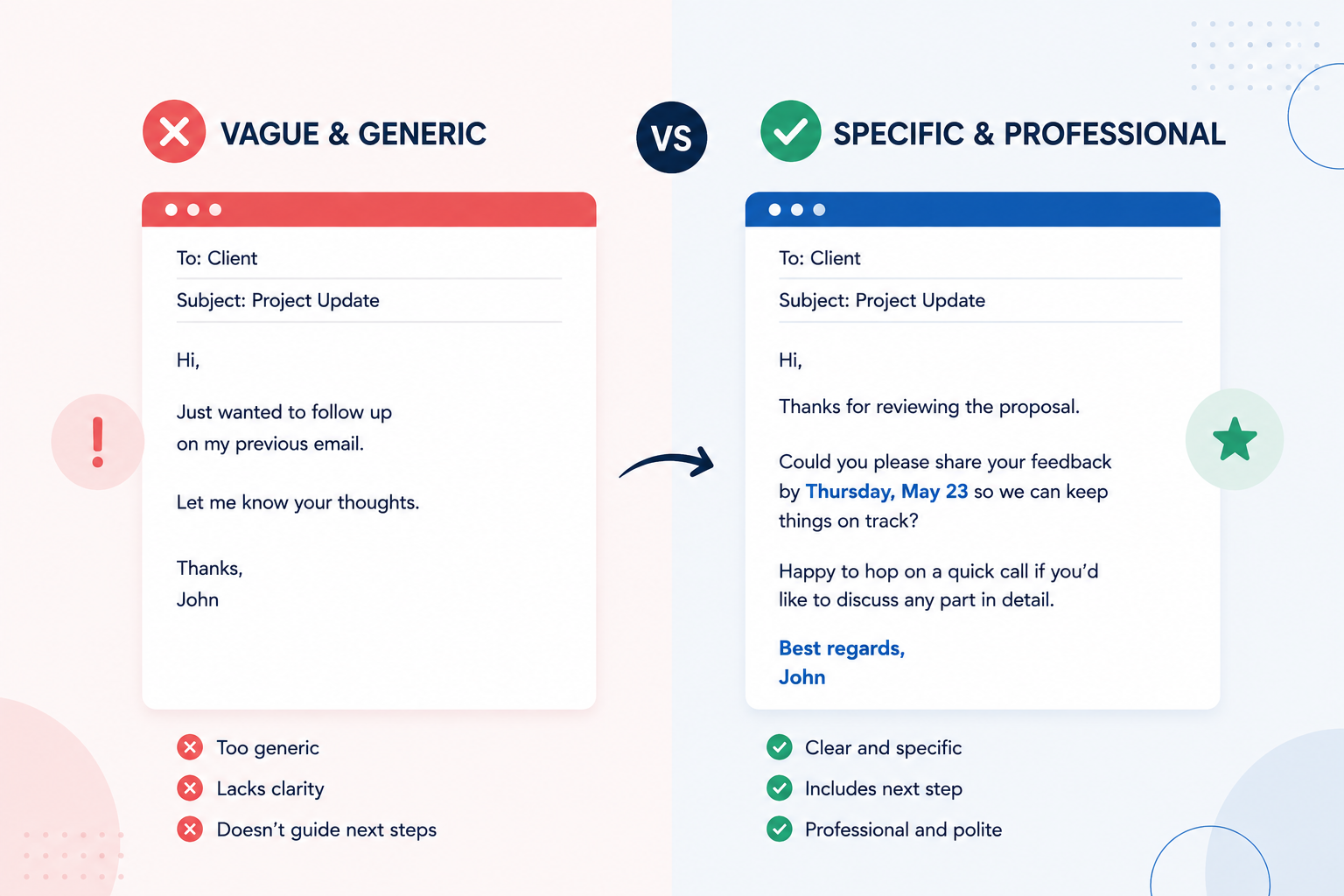
- Reinforce the ask. “Let me know if Thursday at 2 pm works for you.”
- Express appreciation. “Thanks again for taking the time to walk me through this.”
- Set expectations. “I’ll follow up by Friday if I haven’t heard back.”
Vague, generic closing lines like “Let me know if you have any questions” are so overused they barely register anymore. Being specific - a date, a next step, a name - signals that you actually thought about the email before sending it.
2. The Sign-Off Phrase
This is the actual word or phrase - “Best,” “Regards,” “Sincerely” - and it’s where most of the psychology happens. Based on the data above, here’s roughly how the most common sign-offs rank and when to use them:
| Sign-off | Approx. reply rate | Best for |
|---|---|---|
| Thanks in advance | 65.7% | Requests where you need a favor or action |
| Thanks | 63.0% | Casual-professional, internal emails |
| Thank you | 57.9% | Slightly more formal requests |
| Cheers | 54.4% | Informal, friendly professional relationships |
| Kind regards | 53.9% | Formal, respectful, still warm |
| Regards | 53.5% | Neutral, safe default |
| Best regards | 52.9% | Universal, safe for almost any context |
| Best | 51.2% | Quick, modern, slightly informal |
| Sincerely | - | Very formal letters, cover letters |
A word of caution: “Thanks in advance” scores the highest, but it can come across as presumptuous if you’re asking a stranger for something big - it implies the answer is already “yes.” Use it for small, reasonable requests, not major favors.
3. Your Name
This sounds obvious, but repeating your first name (not just relying on your email signature) adds a small human touch, especially in threads with multiple people or in emails to someone you don’t know well.
4. The Signature Block
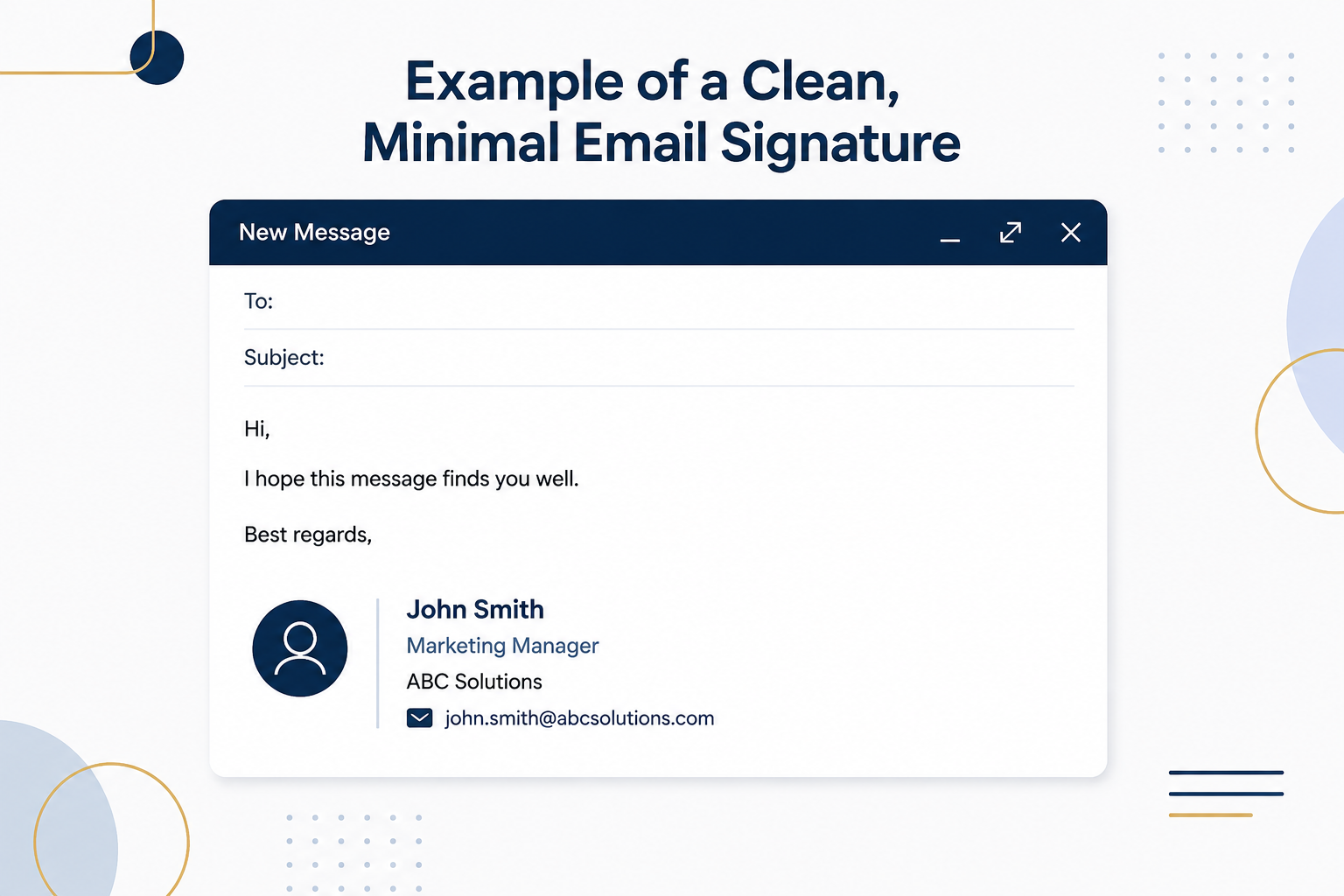
Keep it short: name, title, company, and one way to reach you. More than half of all emails are now opened on mobile, so a signature with five different phone numbers and three social links just creates clutter.
How to End an Email in Different Situations
Knowing how to end an email changes depending on who you’re writing to. Here’s a practical breakdown.
Ending a formal email (first contact, senior executive, client you don’t know well)
Best regards, [Your name]
Formal, safe, and appropriate when you don’t yet know the relationship’s tone.
Ending an email to your boss or manager
Thanks, [Name] or Thank you, [Name]
Gratitude-based closings tend to land well here - they’re respectful without being stiff.
Ending a cold outreach or sales email
Thanks, [Name]
Short, warm, and non-demanding. Avoid “Thanks in advance” here since you haven’t earned that presumption yet.
Ending a follow-up after a meeting or interview
Looking forward to it, [Name]
This reinforces momentum and shows you’re expecting the relationship to continue.
Ending an internal, casual email to a coworker you know well
Cheers, [Name] or Talk soon, [Name]
Ending an email that requires a specific action
Thanks in advance for taking care of this - let me know if you need anything from my end. [Name]
Common Mistakes to Avoid
Even people who know the basics of how to end an email make a few recurring mistakes:
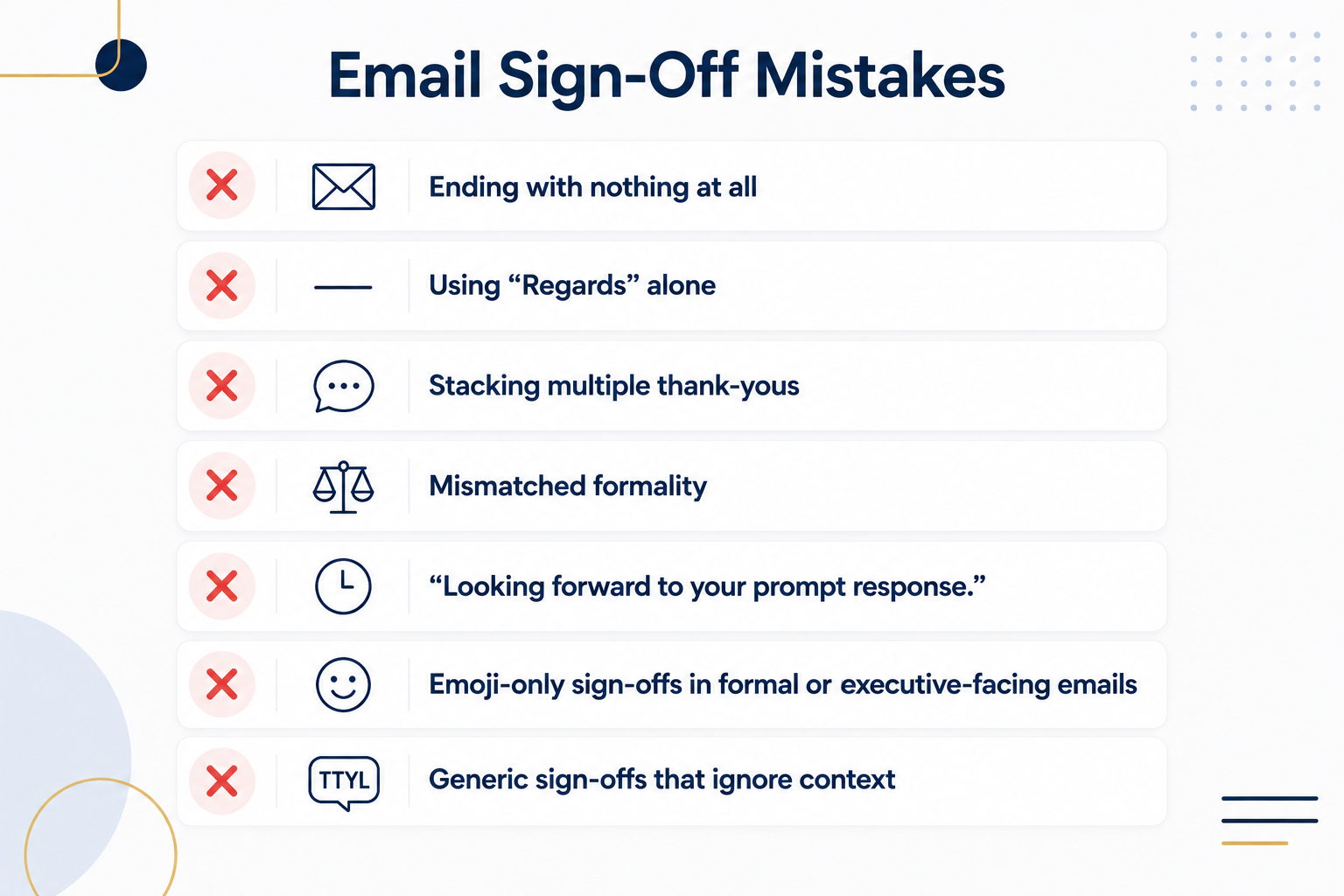
- Ending with nothing at all. No sign-off, just your name or nothing. It reads as abrupt and can come across as cold, even if that wasn’t the intent.
- Using “Regards” alone. It’s technically fine, but it’s the flattest option on the list and can read as curt, especially to someone expecting warmth.
- Stacking multiple thank-yous. “Thanks so much, really appreciate it, thank you again!” - over-thanking can read as anxious or even manipulative rather than sincere.
- Mismatched formality. Signing off with “Cheers” on a formal client proposal, or “Sincerely” on a quick Slack-style internal note, creates friction because the tone doesn’t match the content.
- “Looking forward to your prompt response.” This phrase combines presumption with mild pressure. Recipients often read it as passive-aggressive rather than efficient. A better version is simply naming a date: “If possible, could you get back to me by Thursday?”
- Emoji-only sign-offs in formal or executive-facing emails. Norms have relaxed in many workplaces, but emoji still read as unprofessional in more traditional industries or with senior stakeholders you don’t know well.
- Generic sign-offs that ignore context. “TTYL,” “Over and out,” or other acronyms rarely belong in professional correspondence, even in casual workplaces.
A Simple Framework for Choosing Your Closing
If you want a repeatable system rather than overthinking every email, keep three or four go-to closings in rotation rather than memorizing a huge list:
- A formal default - “Best regards” - for anyone you don’t know well.
- A warm, gratitude-based option - “Thanks” or “Thank you” - for requests, favors, and replies to people above you.
- A casual option - “Cheers” or “Talk soon” - for colleagues and familiar contacts.
- A momentum closer - “Looking forward to it” - for follow-ups where you want to keep a conversation moving.
Etiquette expert Jacqueline Whitmore’s advice is a useful mental shortcut here: when in doubt, mirror the tone of the person you’re replying to. If they signed off casually, you can too. If they were formal, match that.
Make It Easier: Let EmailFunnelAI Handle the Guesswork
Even with a solid framework, picking the right closing line for every single email - and matching it to the right tone, recipient, and context - takes mental energy most of us don’t have time for on a busy day. That’s where EmailFunnelAI comes in.
EmailFunnelAI is a smart writing assistant built specifically for email communication. As you draft a message, it analyzes the tone, recipient, and purpose of your email and suggests a closing line and sign-off that fits - whether you’re chasing a client for payment, following up after an interview, or just replying to a coworker. Instead of guessing between “Best,” “Thanks,” or “Kind regards,” you get a data-informed recommendation in seconds, along with a clean, on-brand signature block.
For teams, EmailFunnelAI also keeps sign-offs and signatures consistent across everyone sending client-facing emails - so your company’s tone stays polished no matter who’s hitting send. If you send a lot of email and want to stop second-guessing how to end it, it’s worth a look.
Bringing It All Together
Knowing how to end an email professionally isn’t about memorizing a hundred different sign-offs - it’s about understanding that your closing line does real work. It sets the tone of the relationship, signals how much thought you put into the message, and, based on the data, can meaningfully change whether you get a reply at all.
The next time you’re about to type “Thanks” and hit send without thinking, remember Maria’s story: the same email, with a warmer and more specific ending, went from ignored to answered within hours. A thoughtful closing costs you ten extra seconds. The data suggests it’s worth far more than that.
Sources referenced: Boomerang (2017) analysis of 350,000+ email threads; Grant, A. & Gino, F. (2010) research on gratitude and helping behavior; HuffPost/YouGov survey on email habits; Preply survey on workplace email etiquette.
